InstaDoodle FAQ: Plans, Credits, Licences, Support and Refunds
Quick answers about InstaDoodle: the monthly plans from $47, how AI credits work, the commercial license, the help desk and the 60-day money-back guarantee.
- Published
- Updated
A browser-based doodle video maker with monthly plans from $47 a month. The seller lists DoodleAI, voiceover, templates and a 60-day money-back guarantee with a credits rule.
- From $47/month
- 60-day refund
- Software & Creator Tools
Our editorial score: 3.8/5 (ours, not a customer rating) How we score
Check the price on the official store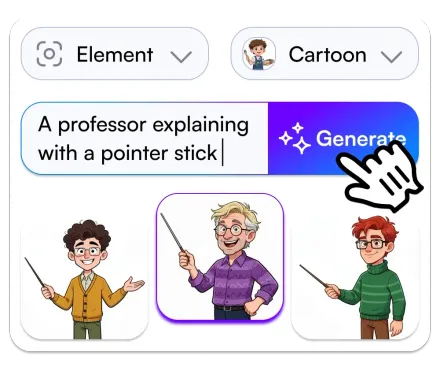
At a glance
- Refund window
- 60 days
- 60 days, per the seller: request it through the seller's help desk with the subject Refund Request; not available if more than half of the included AI credits have been used
- Price
- From $47/month
- monthly plans, billed monthly
- Category
- Software & Creator Tools
- Our score
- 3.8 / 5
- editorial, not a customer rating
Most questions about InstaDoodle come down to four topics: which plan to pick, how credits work, what the license allows and how a refund request is handled. This FAQ answers them in plain terms, using the seller’s own figures. It is an independent guide, so the order page and the seller’s terms remain the final reference for any detail here.
Answers, then the plans
Choose a plan for your first video
Standard from $47 a month, Pro at $67 and Agency at $127, with cancellation available anytime per the seller. A refund does not apply when more than half of the included AI credits are spent.
See the plansPlans and billing
The seller lists three monthly tiers: Standard at $47, Pro at $67 and Agency at $127. Each one bills monthly and keeps renewing until the subscription is ended. The order page shows the exact plan and price for your choice before payment, which makes it the place to check any figure that looks different from this page.
There is no free version. Paid monthly plans are the only route in, so the first decision is which tier covers the export sizes and tools you need. A useful method is to list those needs, then pick the lowest tier that meets all of them.
Credits across a billing month
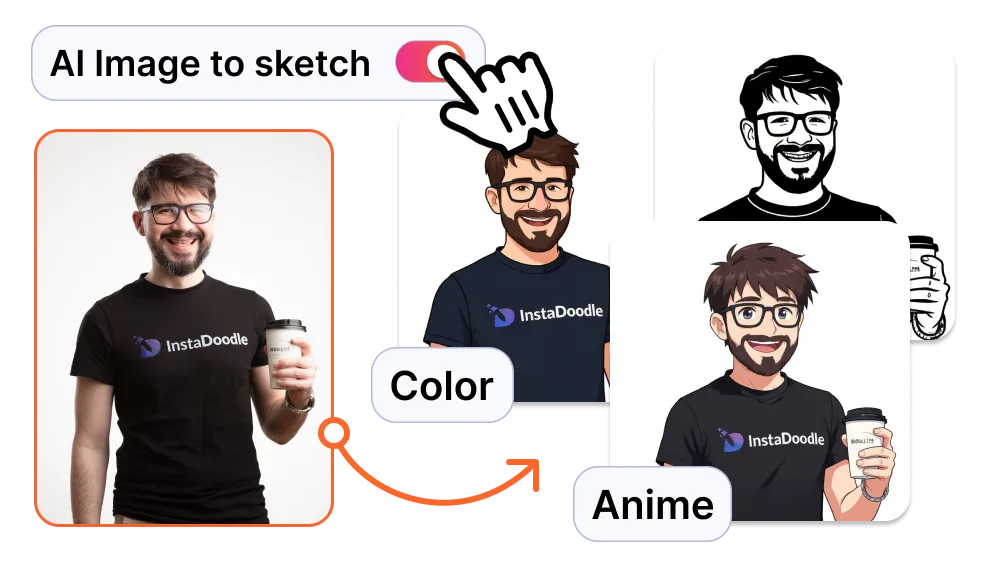
AI credits are the units that AI actions spend. A text prompt that draws a scene, a picture converted into a sketch and a generated voice all draw on the same pool. Standard includes 150 AI credits, according to the seller. The seller also says the cost per action can change, so the number of credits one action uses today may differ later.
Credits matter most for refunds, which is the part people tend to overlook. A refund does not apply when the included credits pass the half-used mark, meaning more than half of the included AI credits have been spent. Track usage inside the app and schedule large batches of scenes with that threshold in mind.
Commercial use and the license
The license question depends on the tier. A commercial license is listed for Pro, and Agency includes Pro. The seller’s terms add that agency, team, commercial or reseller rights apply only as far as a purchase expressly includes them, and that resale of platform access is not allowed. A video produced on Standard should be checked against the plan terms before it goes into paid work.
AI output may not be protected by exclusive copyright, according to the seller’s terms. Review each drawing and check the rights for every photo, logo or track you upload.
Support and the help desk
Support runs through the help desk at help.instadoodle.com, which deals with requests by ticket. A ticket leaves a written trail, and it lets you attach the details that matter. Refund requests take the subject Refund Request, along with your account email and order number. Keep the confirmation email, because it holds the order details you will need.
Questions people ask before paying
Some readers ask whether they can look around the editor before paying. The offer begins with a paid plan, so the practical check is to read the plan lists on this page and then confirm the details on the order page before you buy.
Working out your first month
Start by naming three projects for the month: a clip for a class, a how-to for a product and a welcome video for staff, for example. Count the export size and tools each one needs. Standard covers standard-size clips, Pro adds 2K and 4K output and the commercial license, and Agency adds the script and voice tools. Pick the tier that covers the most demanding of the three projects, and leave the rest for a later month if the workload is light.
Keeping records
A simple folder structure saves time later. Store the confirmation email, a note of your plan, the order number and an export log that lists each video, its size and whether it went into paid work. That record answers most questions about the license and the renewal without a search.
Good to know
Keep the order number in the same folder as your exported videos. Including the account email, the order number and the project name in a ticket keeps the message easy to match to your account.
Support by ticket
Open the order page with your details ready
The order page shows the plan and the monthly price before you pay. A refund does not apply when more than half of the included AI credits are spent.
Go to the order pageRefunds in short
The seller offers a 60-day money-back guarantee. Refund requests are handled through the help desk, and a refund does not apply when more than half of the included AI credits have been spent. Ending a subscription is a separate step, and it stops the next monthly charge without changing the refund rule.
Plan first, then order
Compare Standard, Pro and Agency
Monthly plans from $47 a month, with a 60-day money-back guarantee. Under that guarantee, a refund does not apply when more than half of the included AI credits have been used.
Compare the plansStandard
Monthly plan
$47billed monthly
- 150 AI credits, per the seller
- DoodleAI text-to-doodle and picture-to-doodle
- Drag-and-drop editor with image editor and background remover
- 1080p HD export, 6 animation types and 6 AI styles
- 14+ templates and 1,000+ built-in doodle elements, per the seller
- 60-day money-back guarantee (credits rule applies)
ProBest value
Monthly plan
$67billed monthly
- Everything in Standard
- 3,000+ PRO doodle elements and characters, per the seller
- 2K and 4K export, custom fonts and a priority AI queue
- Commercial license and VIP support, per the seller
- 20 Background Music Tracks bonus
- 60-day money-back guarantee (credits rule applies)
Agency
Monthly plan
$127billed monthly
- Everything in Pro
- AI Wizard: script generator and automatic project creation, per the seller
- InMotion: upload your own videos, per the seller
- AI Voices: 6 voices in 30+ languages, per the seller
- 60-day money-back guarantee (credits rule applies)
Prices as listed on the seller's order page (checked November 24, 2026). Tax and the final total show at checkout.
Ready to order?
See the current InstaDoodle price and guarantee
Monthly plans: Standard $47, Pro $67, Agency $127 per month; the order page shows the exact plan and price. Refund window: 60 days, per the seller: request it through the seller's help desk with the subject Refund Request; not available if more than half of the included AI credits have been used.
See the InstaDoodle price and packagesQuestions people ask
Which plan should I start on?
Standard, if you make a few videos a month and do not need 2K or 4K export or the commercial license. Move to Pro for the larger element library or the license, and to Agency for the script, InMotion or AI Voices tools.
Can I stop the monthly charge?
Yes. The seller says you can cancel anytime. Billing repeats until you end the subscription, so do it before the next billing date if you do not want another month. Ending a subscription is separate from requesting a refund.
How are AI credits used up?
Each AI action draws from the credits in your plan. Standard includes 150 AI credits according to the seller, and the cost per action can change under the seller's terms, so check your usage while you work.
Where do I send a question about my order?
To the help desk at help.instadoodle.com, which handles requests by ticket. Give your account email and order number, and use the subject Refund Request when the message concerns a refund.
Can I use the videos in paid work?
Pro lists a commercial license, and Agency includes Pro. Standard is not listed for commercial use, so read the plan terms before you use a Standard video for a client.
Can I get a refund after I have used most of my credits?
Not under the guarantee. The 60-day money-back guarantee does not cover a refund when more than half of the included AI credits have been used. If you are still under that line, write to the help desk with the subject Refund Request, your account email and your order number.
Please note. This page is general information only, not professional, legal or safety advice. Follow local building, electrical and water rules, and use a licensed professional where the law or your safety calls for one. Prices, plans, bonuses and refund terms can change; the official order page is the final word. Full disclaimer.
Written by
Strong Health Tips Editorial Team
We check every claim against the seller's own pages, terms and refund policy, and against published research, then write it up in plain English. Our methodology.