InstaDoodle Benefits: Turn a Text Prompt Into a Doodle Video
What InstaDoodle gives a video maker: DoodleAI that draws characters from a prompt, voiceover and music, animation types, four aspect ratios and cloud export.
- Published
- Updated
A browser-based doodle video maker with monthly plans from $47 a month. The seller lists DoodleAI, voiceover, templates and a 60-day money-back guarantee with a credits rule.
- From $47/month
- 60-day refund
- Software & Creator Tools
Our editorial score: 3.8/5 (ours, not a customer rating) How we score
Check the price on the official store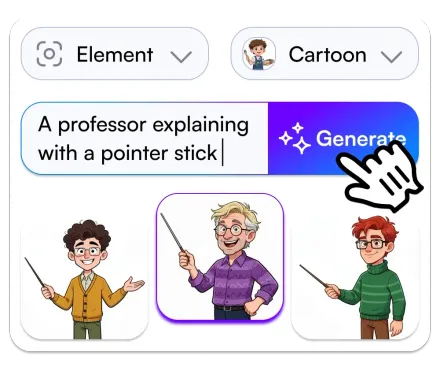
At a glance
- Refund window
- 60 days
- 60 days, per the seller: request it through the seller's help desk with the subject Refund Request; not available if more than half of the included AI credits have been used
- Price
- From $47/month
- monthly plans, billed monthly
- Category
- Software & Creator Tools
- Our score
- 3.8 / 5
- editorial, not a customer rating
A doodle video is a sequence of small drawn moments, each one timed to a line of narration. Anyone who wants one can get stuck on the drawing, the timing and the sound before the story even starts. InstaDoodle is built around that sequence. You describe the scene, the drawing appears, and the rest of the work happens in one browser editor. This page looks at the main benefits as the seller describes them, with the limits placed next to each one.
From a sentence to a scene
Start a scene from a prompt
Monthly plans from $47 a month, with a 60-day money-back guarantee that does not apply when more than half of the included AI credits have been spent.
Start a scenePrompt to drawing
The headline benefit is DoodleAI. You type what the scene should show, such as a cartoon coach at a whiteboard explaining a training step, and the tool draws the characters, elements and backgrounds that match. The seller lists text-to-doodle as a core feature on every plan, which means the same starting method works on Standard, Pro and Agency.
The limit is that a first drawing is a draft. Faces, hands and small objects may need a second pass, so plan a few minutes of adjustment for each scene. Every generation also uses AI credits, and the seller says credit costs can change.
A photo as the starting point
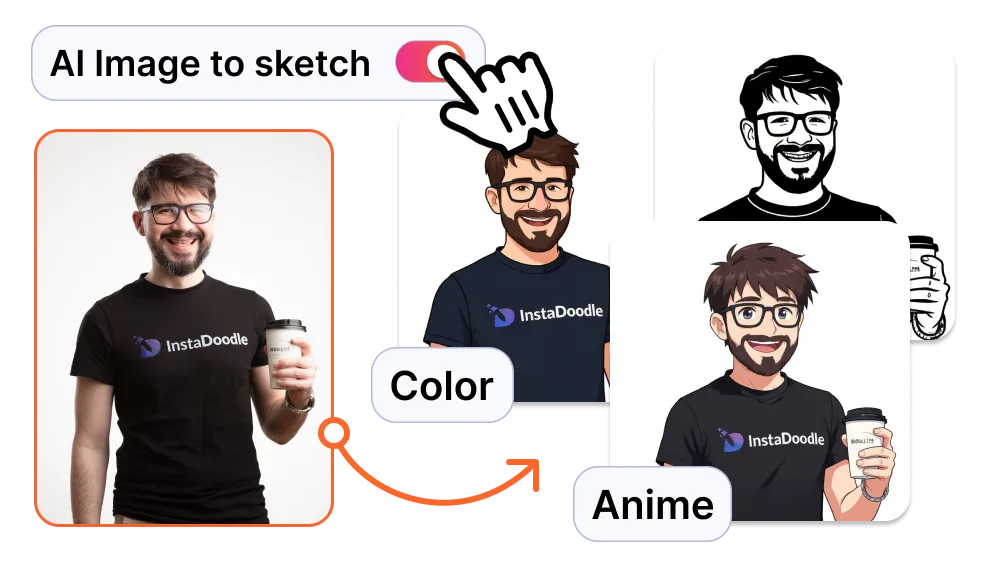
If you already have a picture, the picture-to-doodle option turns it into a sketch. The seller’s illustration of this tool shows a photo of a man holding a coffee cup beside black-and-white and colored versions, which gives a sense of the range. A small shop owner could photograph a product and turn it into a sketch for a how-to clip.
The benefit is speed for people who have a photo but no time to draw. The honest limit is that a converted photo still needs a check that it looks right and that you have the rights to use the picture.
Animation that moves the drawing
Motion is what turns a still drawing into a video. The seller lists six animation types on Standard. The ones its illustration names are draw, wipe, slide, fade and pop-in. Draw reveals a figure line by line, as a marker would. Wipe sweeps the drawing into place. Slide brings an element in from the side, and fade and pop-in handle softer and sharper entrances.
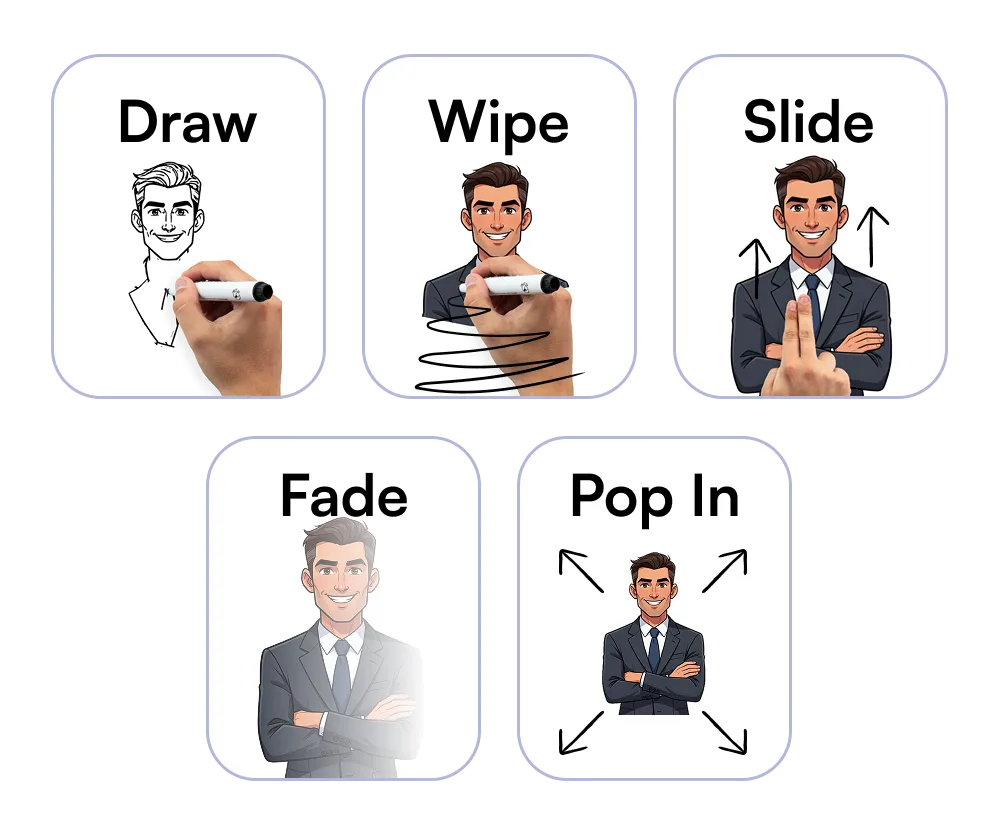
Picture a teacher who wants a lesson where the diagram draws itself while the narration plays. Draw on the diagram’s lines, slide the labels in afterwards, and the lesson moves at the pace of the voice. The limit is that too many motions in one scene can crowd a short clip, so use two or three styles per video.
Voiceover and music
The editor handles sound in the same place as the drawings. You can generate a narration or upload your own recording, and add a soundtrack. The Pro plan includes the 20 Background Music Tracks bonus the seller lists, and Agency adds AI Voices with six voices in more than 30 languages.
The benefit is one timeline for picture and sound, which saves an export round trip. The limit is that a generated voice still needs listening through, and an uploaded soundtrack must come from a source you have rights to use.
Four aspect ratios for every screen
Export is set by aspect ratio: 16:9 for a presentation or a widescreen video, 9:16 for a phone story, 4:5 for a feed post and a square for a general social post. The seller lists 1080p HD export on Standard, with 2K and 4K added on Pro.
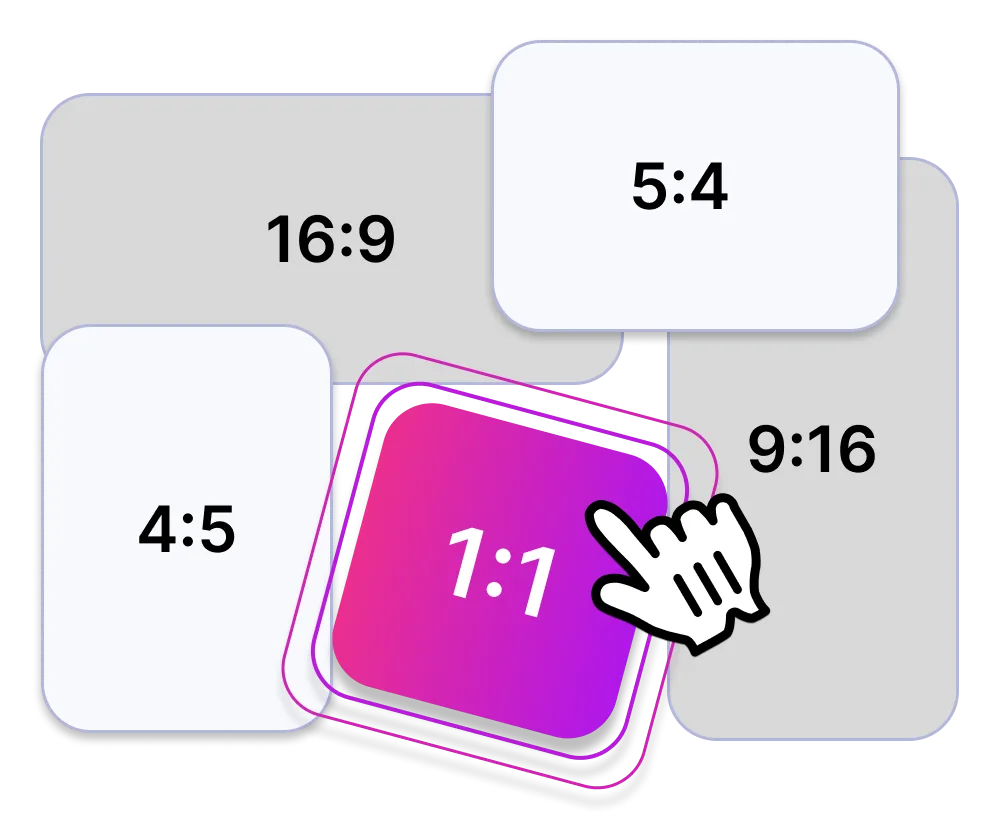
A small shop could build one how-to clip and export it as a square for a feed and as 9:16 for a short-form video. The limit is that each export is a separate render, so plan the timing before you start rendering the longer versions.
Templates and elements
Starting points help a first project. The seller lists 14 or more templates and more than 1,000 built-in doodle elements on Standard, with 3,000 or more PRO elements and characters on Pro. A template gives you the layout and the rhythm, and the elements save drawing each prop yourself.
The limit is that a template is a starting layout rather than a finished video. Replace the words, the characters and the pacing so that the result fits your subject and your audience.
Cloud export, nothing to install
Everything runs in a browser on Mac, Windows or another device, so there is no installer to manage. The render happens in the cloud, and the seller says the Pro plan adds a priority AI queue for faster processing.
The honest limit is that the work depends on a connection and on the seller’s service. Keep a copy of your finished files on your own drive, and keep your confirmation email for the account details.
Benefits in one browser
Build the whole video in one tab
DoodleAI, animation, voiceover, music and four export sizes, from $47 a month. The 60-day money-back guarantee is not available if more than half of the included AI credits have been used.
Build a videoGood to know
The tools speed up the draft, not the review. Check every AI image, read every line of narration and confirm you have the rights to any photo or soundtrack before the video goes public.
Pick a plan
Choose the tier that fits your output
Standard from $47 a month, Pro at $67 and Agency at $127, billed monthly and cancelable per the seller. Refunds are not available if more than half of the included AI credits have been used.
Compare the plansStart small
Make a first scene this week
One prompt, one animation and one export, on a plan billed monthly. The 60-day money-back guarantee does not apply when more than half of the included AI credits have been spent.
Make a first sceneStandard
Monthly plan
$47billed monthly
- 150 AI credits, per the seller
- DoodleAI text-to-doodle and picture-to-doodle
- Drag-and-drop editor with image editor and background remover
- 1080p HD export, 6 animation types and 6 AI styles
- 14+ templates and 1,000+ built-in doodle elements, per the seller
- 60-day money-back guarantee (credits rule applies)
ProBest value
Monthly plan
$67billed monthly
- Everything in Standard
- 3,000+ PRO doodle elements and characters, per the seller
- 2K and 4K export, custom fonts and a priority AI queue
- Commercial license and VIP support, per the seller
- 20 Background Music Tracks bonus
- 60-day money-back guarantee (credits rule applies)
Agency
Monthly plan
$127billed monthly
- Everything in Pro
- AI Wizard: script generator and automatic project creation, per the seller
- InMotion: upload your own videos, per the seller
- AI Voices: 6 voices in 30+ languages, per the seller
- 60-day money-back guarantee (credits rule applies)
Prices as listed on the seller's order page (checked November 24, 2026). Tax and the final total show at checkout.
Ready to order?
See the current InstaDoodle price and guarantee
Monthly plans: Standard $47, Pro $67, Agency $127 per month; the order page shows the exact plan and price. Refund window: 60 days, per the seller: request it through the seller's help desk with the subject Refund Request; not available if more than half of the included AI credits have been used.
See the InstaDoodle price and packagesQuestions people ask
How does a prompt become a drawing?
You describe the characters and setting in plain words. DoodleAI then draws the figures, elements and background that match the description, and you adjust the result on the timeline.
Can I start from a photo instead?
Yes. The picture-to-doodle option turns a photo into a sketch, and the seller shows color and anime-style results as well. Check that the result still matches the subject before you use it.
Which animations are included?
The seller lists six animation types on Standard. Draw, wipe, slide, fade and pop-in are the ones its illustration names, and they cover most explainer scenes.
What about voiceover and music?
You can generate a narration or upload your own, and add background music from the editor. The bonus tracks on Pro are listed by the seller, and AI voices on Agency cover six voices in more than 30 languages.
Does the 60-day guarantee cover these tools?
The 60-day money-back guarantee applies to the plan you buy, and a refund is not available if more than half of the included AI credits have been used. Credits are spent by the AI tools, so keep an eye on them while you work.
Please note. This page is general information only, not professional, legal or safety advice. Follow local building, electrical and water rules, and use a licensed professional where the law or your safety calls for one. Prices, plans, bonuses and refund terms can change; the official order page is the final word. Full disclaimer.
Written by
Strong Health Tips Editorial Team
We check every claim against the seller's own pages, terms and refund policy, and against published research, then write it up in plain English. Our methodology.