Where to Buy Teds Woodworking: Order From the Real Page, Step by Step
Where to buy Teds Woodworking: order through the real order page, not marketplaces or file sites, so your login and 60-day guarantee are genuine.
- Author
- Strong Health Tips Editorial Team
- Published
- Updated
- Reading time
- 7 min read
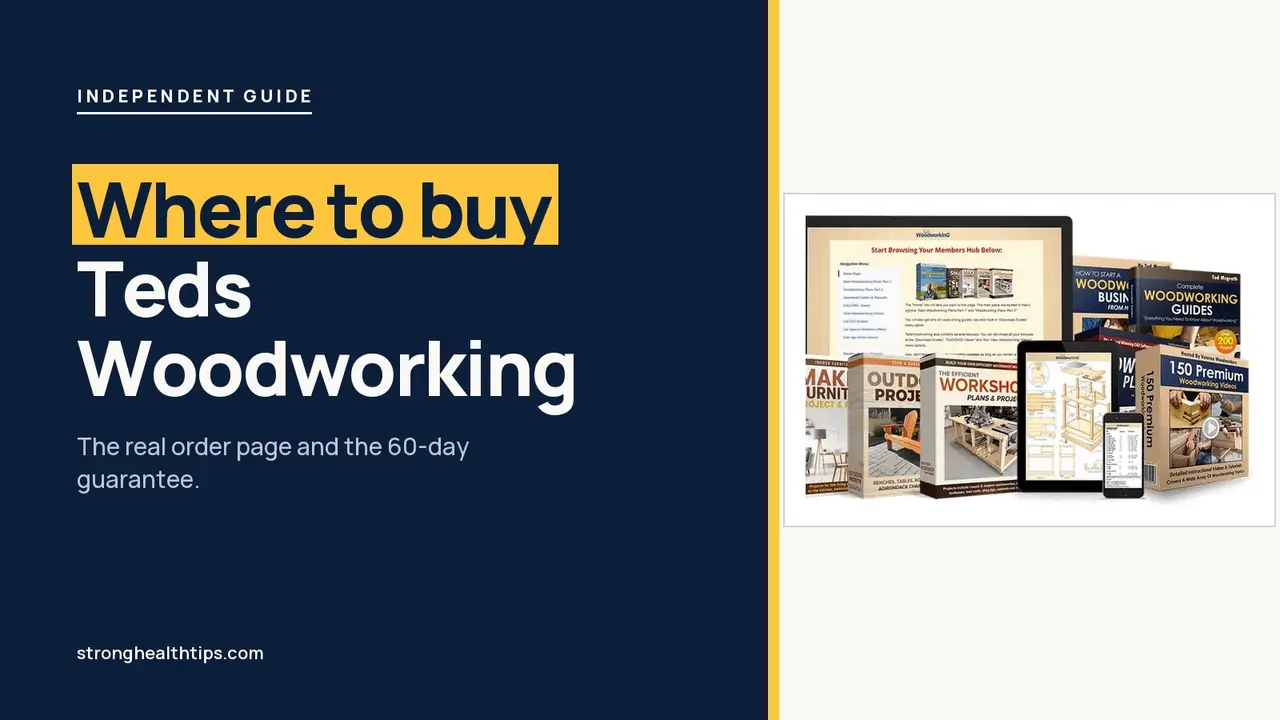
Teds Woodworking (the seller spells it TedsWoodworking) is sold through one real order page, and this guide shows where to buy Teds Woodworking, step by step. You will see which page to use, what to check before you pay, and what to keep after the order. Each step is short, so you can follow it on your phone while you sit at the bench.
Order from the real page
The library for $67, one payment
Start from the seller’s order page and confirm the total before you pay.
Open the order pageWhere to buy Teds Woodworking: the real order page
Use the order page that our buttons open. It leads to the ClickBank checkout, and the seller’s terms, login and guarantee attach to the order that page creates. Follow these four steps in order. The steps are short. Read each one before you act, and do not skip the check in step two, where a wrong total or a missing bonus shows up.
- Start from our order button. It opens the seller’s order page in a new tab, so this guide stays open for reference.
- Check the page. It should show $67 in one payment and list the three bonuses: the DWG/CAD Plan Viewer, the 150 premium videos and the complete woodworking guides.
- Continue to ClickBank checkout. The seller says you can pay by card or PayPal. Read the total on the checkout screen before you approve it.
- Save the confirmation. Keep the confirmation email and note the order number. You will need both if you ever write to the seller.
Four steps
Start from the order button
Check the $67 total, then continue to the ClickBank checkout.
Start my orderWhy the real order page matters
The order page is the only route that creates your members-area login for the library. It also ties your purchase to the seller’s 60-day money-back guarantee and to ClickBank order support, which handles the retail side of the sale. A page that offers the library from somewhere else may not carry those pieces, and the login may not open the plans you expected.
Because the guarantee depends on the order record, the order page is also the place to start any question about your purchase. Keep the record intact by using the page you were sent to, and by keeping the email the checkout sends. A payment through an unfamiliar page leaves you with no order to match your email against, which is why this guide keeps pointing you back to the order button.
Why the ClickBank checkout matters
The checkout you reach from the order page is run by ClickBank, which is the retailer for this offer. The total, the payment method and the terms shown on that screen belong to the order you are making, so read them before you approve anything. After you approve the order, the confirmation email is the record to keep. If you like, take a screenshot of the total and save it in the same folder as the email.
What to check on the order page
Read the page with a short list in mind before you confirm anything:
- The product name, TedsWoodworking, and a description of a plan library.
- One payment of $67, with no other line that adds a charge you did not expect.
- The three bonuses listed with the library.
- The 60-day money-back guarantee and the support route.
- Any optional extra offered at checkout, read line by line before you agree to it.
If the total does not match the $67 in this guide, stop and check the difference before you pay. The Teds Woodworking price post lays out the figure in full, and the what’s included page lists the bonuses with their covers.
Check the total
Confirm $67 on the order page
Read the total, check the bonus list and keep the confirmation email.
Confirm the $67 orderAfter you order
After checkout closes, you get access to the members area, which the seller describes as instant. Log in from a phone, tablet or computer, and look for the plan library, the bonuses and the search by category and skill level. The TedsWoodworking hub lists the bonuses beside the library, if you want to check them again. Open one plan and check that its materials list and cut list are there. If they are, the library is working as described.
File the confirmation email in one folder, with the order number at the top. That folder is what you will open if a question about the order ever comes up, so do not leave it in a crowded inbox.
Your first login, step by step
- Open the confirmation. Find the confirmation email and the order number it holds.
- Log in with the email you used to buy. Use the same address as the order, so the members area matches your purchase.
- Open the plan library. Search by category first, then filter by skill level.
- Open one plan and check it. Confirm that the materials list, the cut list and the file format are there before you keep the plan for later.
If the login does not open, check the address you typed against the one on your confirmation, then write to the seller’s support page with the order number. Do not pay again on another page while you wait for an answer.
Where not to buy
A marketplace listing, a file-sharing site or a page that promises a free PDF download is not the members-area library. Those pages do not give you the seller’s login, the order record or the guarantee route, so a payment there leaves you without the support you would have on the real order page. Stick to the order page that our buttons open, and treat any other page as a different offer. If a page asks for payment somewhere other than the checkout you reached from our button, close it and start again from the order page.
The seller’s own site is tedplansdiy.com, and tedswoodworking.com also appears in its materials. Both are written here as plain text. Type the address yourself if you want to look at the seller’s site, and then go through the order page to buy.
Getting help after the order
If you have a question about the order, contact the seller through its support page and include your order details. The seller says it refunds within 48 hours where a refund applies. ClickBank order support at clkbank.com is the second route, and it asks for the same order details. Keep your confirmation email handy when you write, so the details match. Write the same order number in each message, so the seller and ClickBank can match your question to one purchase without asking twice.
For the guarantee steps in order, read the money-back guarantee post. The seller website guide shows what the seller’s pages look like, and the what is Teds Woodworking post explains the library itself.
Questions to answer before you pay
Have you started from our order button? Does the page show $67 in one payment and list the three bonuses? Do you know which email address you will use for the purchase? Will you keep the confirmation email in one place? If each answer is yes, you are following the route this guide describes.
For the full product view, the TedsWoodworking hub gathers the offer, the bonuses and the guarantee on one page. Read it before you pay if you want the whole product first.
Ready when you are
Get the plan library for $67
Order from the real page, with three bonuses and a 60-day money-back guarantee.
Get the plan libraryGood to know
The seller says its plans are not made to meet any building code, so check your local building department before you build a shed or another structure. Follow each tool’s manual and wear eye and ear protection on every project.
Questions people ask
Where is the official order page?
Start from our order buttons, which open the seller's order page in a new tab. The seller's site is tedplansdiy.com, and tedswoodworking.com also appears in its materials. Both are written here as plain text.
Can I buy it from a marketplace or a file site?
Do not pay on a marketplace listing or a file-sharing site. Those pages do not give you the members-area login or the seller's guarantee route, so order through the real order page.
What do I pay?
$67 in one payment. The seller says you can pay by card or PayPal at ClickBank checkout.
Is there a coupon code?
No code is needed. Start from the order page and check that it shows $67 in one payment before you continue.
What if the order page looks different from this guide?
Check the total and the bonus list before you confirm. If something does not match, contact the seller through its support page or ClickBank order support at clkbank.com before you pay.
What do I get after I order?
Instant members-area access, per the seller, with the plan library, the three bonuses and the 60-day money-back guarantee.
Please note. This guide is general information only, not professional, legal or safety advice. Follow local building, electrical and water rules, and use a licensed professional where the law or your safety calls for one. Prices, plans, bonuses and refund terms can change; the official order page is the final word. Full disclaimer.
Written by
Strong Health Tips Editorial Team
We research, write and fact-check every guide against current guidance from major health bodies and peer-reviewed studies, then rewrite it in plain English. How we work.