What Is Teds Woodworking? How the Plan Library Works, Step by Step
What is Teds Woodworking? See how the plan library works: join, search by category and skill level, open a plan, and use the PDF or DWG files.
- Author
- Strong Health Tips Editorial Team
- Published
- Updated
- Reading time
- 7 min read
Teds Woodworking (the seller spells it TedsWoodworking) is an online library of woodworking plans, and this guide answers the question that comes first: what is Teds Woodworking in everyday use? In short, you join a members area, search the library by category and skill level, open the plan that fits your next project, and print it or read it on a screen at the bench. Each step is set out below, with the seller’s claims marked as the seller’s.
See the library
The plan library for $67
One payment, a searchable library, PDF and DWG files, and the seller’s 60-day guarantee.
Get the plan libraryWhat is Teds Woodworking, step by step
- Join and log in. The seller describes instant access to a members area after checkout. You reach it with a login from a phone, tablet or computer, so the library can sit beside the saw on a tablet.
- Search by category and skill level. The library can be filtered by category, and by skill level with beginner, intermediate and advanced labels. Most plans carry the beginner label, per the seller, with intermediate and a few expert plans beside them.
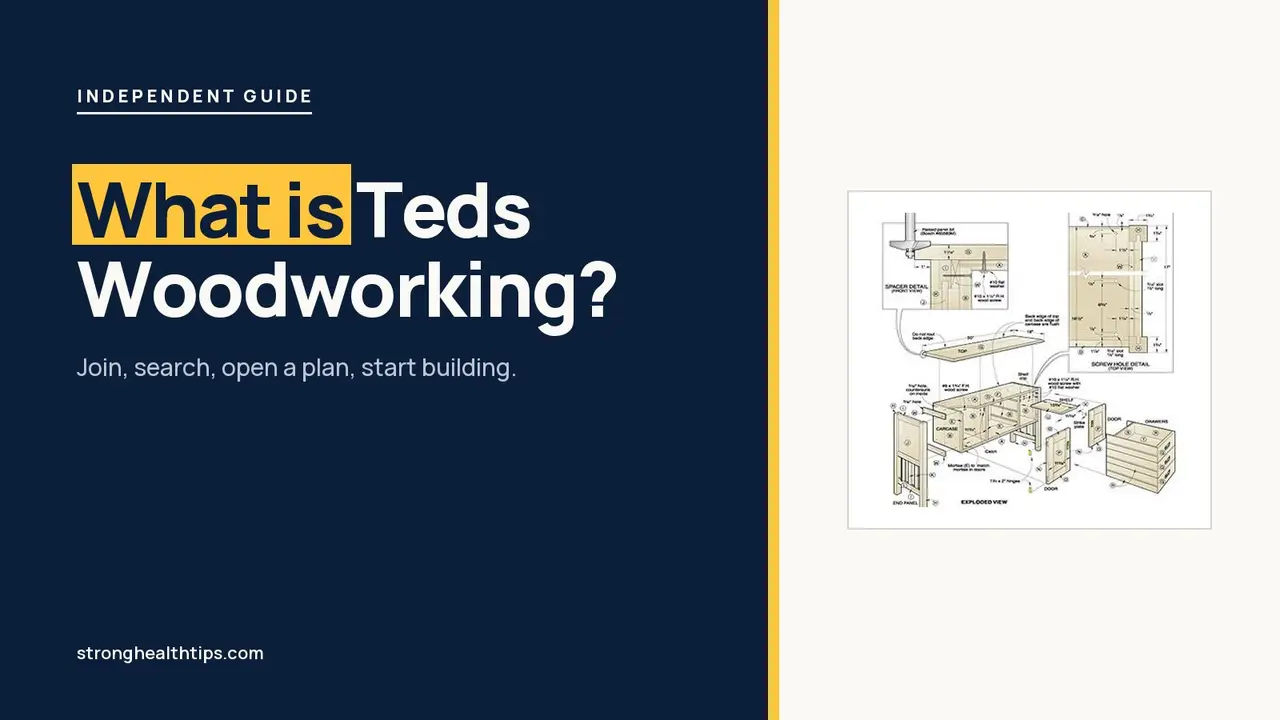
- Open one plan. Each plan, the seller explains, comes with written steps, precise cut lists, full materials lists and multi-angle drawings in exploded views.
- Pick the file. Plans come as PDF and DWG. Most plans come in both imperial and metric measurements, according to the seller’s FAQ.
- Build, after checking the rules. Work from the plan at the bench, and check your local building rules before you start anything that is a structure rather than a piece of furniture.
After you have run those five steps for one project, the next search follows the same path. The difference is that you already know where the cut list and the materials list sit on the page, so each later visit to the library moves faster.
The plan library in plain words
The seller says the library holds about 16,000 plans. That figure is the seller’s own. For a builder, the more useful question is how each plan is laid out. Every plan is listed under a category and a skill level, so a first bookshelf does not sit in the same list as a complex cabinet with dozens of parts.
Plans cannot be bought one at a time. You get the library as a whole, for one payment of $67, and new plans, the seller notes, land every month. A request form for a custom plan sits in the members area, and the seller offers to draft one at no extra charge. Treat that form as an extra, not as a schedule you can plan a build around.
A weekend project from start to finish
Say you want a storage bench for a hallway. Start in the search, filter by the category that fits furniture, and pick the beginner label if joinery is new to you. Open two or three plans that look close, and compare their materials lists. The plan with the shorter, clearer list is often the better first build, because it leaves fewer open questions for shop day.
Next, print the materials list and take it to the lumber yard. Buy the boards for that one bench and nothing more. Read the cut list against the boards you bought, and mark each piece on the wood before you make a cut. When the bench is finished, note the tool you wished you had owned, so the next shopping list stays short.
What a plan page gives you
Most of the detail sits on the plan page, so start there. Read the materials list first, since it sets the shopping trip. The cut list gives the number of pieces and their lengths, which helps you plan boards before you buy them. An exploded view lays the parts out so you can follow how they join, which matters when the written steps assume you can picture a joint.
Here is the honest limit. A cut list tells you what to cut, but it does not teach you how to make the cut safely. Check the tool list at the top of each plan against your shop, and read the manual for any machine before you start. The seller names a sander, clamps, a drill and a table saw as common needs.
Who the library suits
It suits a hobby woodworker who wants one searchable place to look for the next project. A first bookshelf, a storage bench, a shelf unit or a small outdoor build sits well inside what the seller describes. It works best for someone who already has a workshop, a few hand tools and the ability to read a cut list.
A builder who already owns a drill and a set of clamps can use more of a plan on day one than a newcomer who must buy every tool first. The library is the same for both, but the tool you own shapes how much of it you can use straight away.
It suits you less well if you want a finished piece delivered to your door, if you have no room to work, or if you want a teacher to check each cut. The library is a set of plans plus bonus material. It does not replace a tool manual or a class.
Formats and what you need to open them
A PDF plan needs only a free reader, and it prints at home. DWG plans need the bonus DWG/CAD Plan Viewer, which the seller lists with the order. If you already use CAD software, check that it opens DWG files before you rely on it. The Teds Woodworking PDF guide walks through both formats in more detail.
What comes with the order
The seller lists three bonuses with the library: a DWG/CAD Plan Viewer, 150 premium videos hosted by veteran woodworkers, and complete woodworking guides on hand tools and dovetail joints. The what’s included page shows each bonus with its cover, and the TedsWoodworking hub puts the whole offer on one page.
Three bonuses
Start the plan search
Plans, viewer, videos and guides, with one payment of $67.
Start the plan searchPrice and guarantee in plain words
The price is $67 in one payment, and the offer comes with a 60-day money-back guarantee. To ask for a refund, send your order details to the seller through its support page. Refunds, per the seller, come back within 48 hours, and ClickBank order support at clkbank.com is the backup route. Keep your confirmation email, because it holds the order details you will need.
The Teds Woodworking price post sets out the $67 figure in full, and the money-back guarantee post covers the refund steps one by one.
A first project with the library
Pick one small project before you open the search. A shelf, a box or a bench with a plain cut list makes a good start. Filter by the beginner label, check the tool list against your shop, and buy wood for that one project only. Finish it, then choose the next. Write down any tool you still need after the first build, so the next shopping trip is a short list.
Ready when you are
Order the plan library for $67
One payment, a searchable library and a 60-day money-back guarantee.
Order the plan libraryThree questions to ask before you order
Do the kinds of projects you want to build appear in the library? Do you own the tools that each plan names, or can you borrow them? Can you print or open PDF and DWG files where you work? If the answer is yes to all three, the library fits what you want to do. If one answer is no, read the TedsWoodworking hub again and check the detail there before you pay.
Start with a plan
Browse the plans today
Search by category and skill level, then open the plan that matches your next build.
Browse the plans todayGood to know
Per the seller, the plans are not designed to satisfy any building code, so local rules come first before a shed or another structure. Read every tool manual, and keep eye and ear protection on for each cut.
Questions people ask
What is Teds Woodworking?
It is an online library of woodworking plans in a members area. The seller lists $67 in one payment, and the plans come as PDF and DWG files.
Who is it for?
Hobby woodworkers who want one searchable place to find projects such as bookshelves, storage benches and small outdoor builds. The seller says most plans are beginner plans, with intermediate plans and a few expert ones.
Do I need tools before I start?
Yes. The seller says most plans need a table saw, a drill, clamps and a sander. The library does not supply those tools, so check the tool list on each plan first.
How often are new plans added?
The seller says new plans are added monthly. The members area also holds a custom plan request form, which the seller says it will draft at no extra charge.
How do I get help or a refund?
Contact the seller through its support page with your order details. The seller says it refunds within 48 hours, and ClickBank order support at clkbank.com is the second route. Keep your confirmation email.
Does the library mean the plans meet building codes?
No. The seller says its plans are not made to meet any building code, so check with your local building department before you start a shed or another structure.
Please note. This guide is general information only, not professional, legal or safety advice. Follow local building, electrical and water rules, and use a licensed professional where the law or your safety calls for one. Prices, plans, bonuses and refund terms can change; the official order page is the final word. Full disclaimer.
Written by
Strong Health Tips Editorial Team
We research, write and fact-check every guide against current guidance from major health bodies and peer-reviewed studies, then rewrite it in plain English. How we work.