Where to Buy My Shed Plans: Order From the Real Page, Step by Step
Where to buy My Shed Plans: order through the real order page, not marketplaces or file sites, so your members login and 60-day guarantee are genuine.
- Author
- Strong Health Tips Editorial Team
- Published
- Updated
- Reading time
- 7 min read
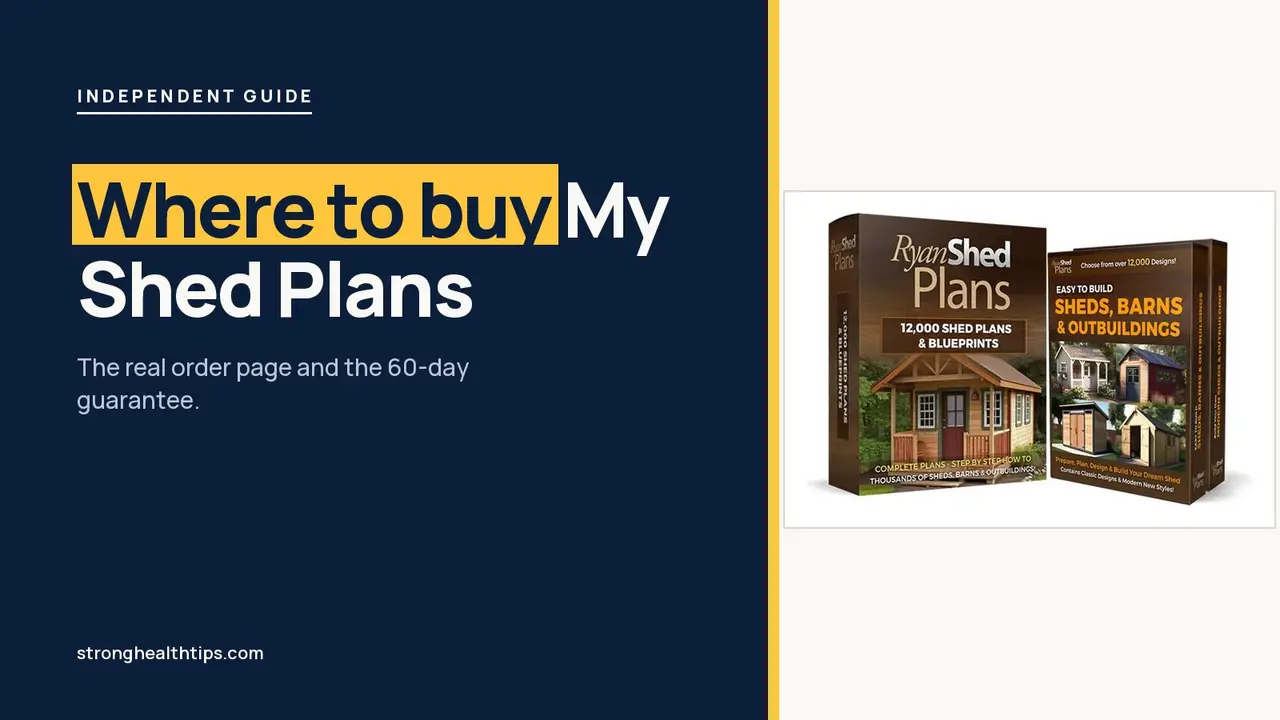
Where to buy My Shed Plans comes down to one rule: use the seller’s real order page, reached either from the button on this site or from myshedplans.com. That page links your purchase to the members area and to the 60-day money-back guarantee. Below are the four steps from the button to your first login, what the genuine page displays before you pay, and how to recognize a lookalike, so the order you place is one you can actually use.
The real order page
Order through the seller’s page
Members area, bonuses and refund terms for $37.
Start the real orderWhere to buy My Shed Plans, step by step
Four steps carry you from this page to your login, and each one is brief.
Four steps from this page to your login
- Use the button on this page, or type myshedplans.com into the address bar. That domain is the seller’s official site, and the order page is reached from it.
- Check the page for $37 in one payment, the four bonuses and the 60-day money-back guarantee line.
- Finish checkout. ClickBank is the retailer for the transaction, and clkbank.com lists its order support.
- Keep the confirmation email, then sign in to the members area and open the library.
What the genuine page displays before you pay
The genuine page names the plan library, shows one payment of $37, lists the bonus titles and includes the guarantee line. It also points to a support route. Read each of those before entering any details, and note the product name for later comparison. The checkout screen then displays the final total, and that figure is the one you agree to.
The seller’s box and page print the name RyanShedPlans on the same library. Seeing that name is normal; match the product on the page against what this guide lists.
Why the seller’s own route helps
The guarantee is handled through the seller’s support desk, which works from the order details in your confirmation email. Buying through the seller’s route keeps those details in a single place, so a later request is simple: quote the order, send the message and keep the reply. The seller’s business address in Riverside, California appears on its page, giving you one more detail to check against your own records.
Order details in one place
Buy from the real order page
One payment of $37, with the members area and refund terms.
Open the order pageLookalikes and file-sharing sites
Some sites give away shed plan files, repost drawings or resell the library. Pages like these may not connect you to the members area, the seller’s desk or the 60-day guarantee. Signs of the genuine page include the $37 figure in one payment, the bonus list, the guarantee line and a checkout that follows. A page that wants a download before any checkout, or that shows no price, is a cue to switch to the route in this guide. If you have already purchased from a page that does not match these facts, contact the seller’s support desk with your order details before relying on it.
Checking the order before you pay
Read four lines before confirming: product name, price (one payment of $37), bonus list and guarantee line. Then read the total on the checkout screen. The checkout total governs what you pay, so if it differs from the $37 in this guide, stop and recheck the page. Reading these lines takes under a minute and gives you the same reliable picture each time.
Using the confirmation email as your map
The confirmation email is the document you will return to often. It carries the order details, and the support desk asks for them first. File it alongside any bank receipt, and copy the login link into your notes. One folder holds the login, the refund route and the order details, which suits a project that may run over several seasons.
A first order from start to finish in one afternoon
Block off an hour. Begin with the button on this page, read the order page lines and complete checkout. Save the confirmation email and sign in. Download one plan, open it in your reader and print the materials list. Price that list at your local yard, and the core of a first build sits in front of you. Much of the afternoon goes to that price check, which is where a library turns into a project.
Small slips that cost time
- Searching for the name and clicking the first result without reading the page.
- Skipping the total on the checkout screen and assuming it matches the listing.
- Closing the confirmation page before the email reaches your inbox.
- Starting a download before a PDF reader is installed.
Each slip is easy to avoid with a short pause: read the page, check the total, wait for the email and install the reader first.
Reading the guarantee line on the order page
The guarantee line identifies what the promise covers and which contact route applies. Read it in full before confirming, and keep a copy of its wording alongside the confirmation email. When it names the seller’s support desk, the ticket form is the route; clkbank.com is the backup named in this guide.
Who should use the order route in this guide
This route suits a builder who wants a first library order tied to the members area and the guarantee. It also suits someone comparing two libraries who wants to see a real checkout before choosing. The steps match either way: read the page, check the total, complete checkout and save the email.
After checkout: the members area
Sign in, open the library and download one plan first. That single download reveals how the zip and PDFs behave on your machine, and it lets you set up a folder layout before the next project starts. Install a free PDF reader if you lack one. The what’s included page lists the contents, and the My Shed Plans hub describes the library after you sign in.
Matching the order page to this guide
Hold this guide beside the order page and tick off each match. The product name should read My Shed Plans. The price should read $37 in one payment. The bonus list should name Advanced Woodworking Tips, Magic Modifications, Directory of Suppliers and 400 Woodworking Plans. The guarantee line should name a 60-day money-back guarantee. When all four match, the page is the one this guide describes. If one line differs, read the page again and check the checkout total before you go further.
Keeping your login ready
Store the members login in a password manager or in the same folder as the confirmation email, and avoid sharing it with anyone outside your build. Shared logins make it harder to tell who downloaded what, and a single login keeps your library in one place. If you start a second project later, the same login opens the same library, so there is nothing new to set up.
Ready to check out
Confirm the total at checkout
Plans, four bonuses and refund terms, in one payment.
Check the $37 orderGood to know
Every shed is a structure, so check the permit, size, setback and foundation rules for your lot before you buy lumber. Dial 811 before footings are dug, follow each tool manual, and wear eye and ear protection. A helper should steady wall frames and roof parts.
Keep reading
The money-back guarantee post explains how to contact the desk, and the legit checklist covers the seller and the retailer. For the product overview, head to the My Shed Plans hub.
Ready to order
Order from the real page
Four steps, one payment of $37, and the library in your members area.
Order from the real pageQuestions people ask
Where is the official website?
The seller's official site is myshedplans.com. Type it in yourself, or start from the button on this page.
What should the order page show?
The product name, one payment of $37, the bonus list and the 60-day money-back guarantee line. The checkout screen then displays the final total.
Who handles the checkout?
ClickBank is the retailer, and clkbank.com lists its order support for any checkout question.
Can I buy the library from a file site instead?
Those sites may not link your order to the members area or the seller's support desk. The seller's order page is the route that keeps the guarantee within reach.
What do I do after checkout?
Log in with the details in your confirmation email, open the library and download one plan to check the zip and PDF setup on your computer.
What if the page I land on looks different from this guide?
Page layouts can change over time. Look for the same core facts: the product name, one payment of $37, the bonus list and the 60-day money-back guarantee line. If those are present on the seller's page, you are in the right place.
Please note. This guide is general information only, not professional, legal or safety advice. Follow local building, electrical and water rules, and use a licensed professional where the law or your safety calls for one. Prices, plans, bonuses and refund terms can change; the official order page is the final word. Full disclaimer.
Written by
Strong Health Tips Editorial Team
We research, write and fact-check every guide against current guidance from major health bodies and peer-reviewed studies, then rewrite it in plain English. How we work.