My Shed Plans Money-Back Guarantee: How the 60 Days Work
My Shed Plans money-back guarantee: a 60-day guarantee, how to contact the seller's support desk with your order details, and why to keep your confirmation.
- Author
- Strong Health Tips Editorial Team
- Published
- Updated
- Reading time
- 7 min read
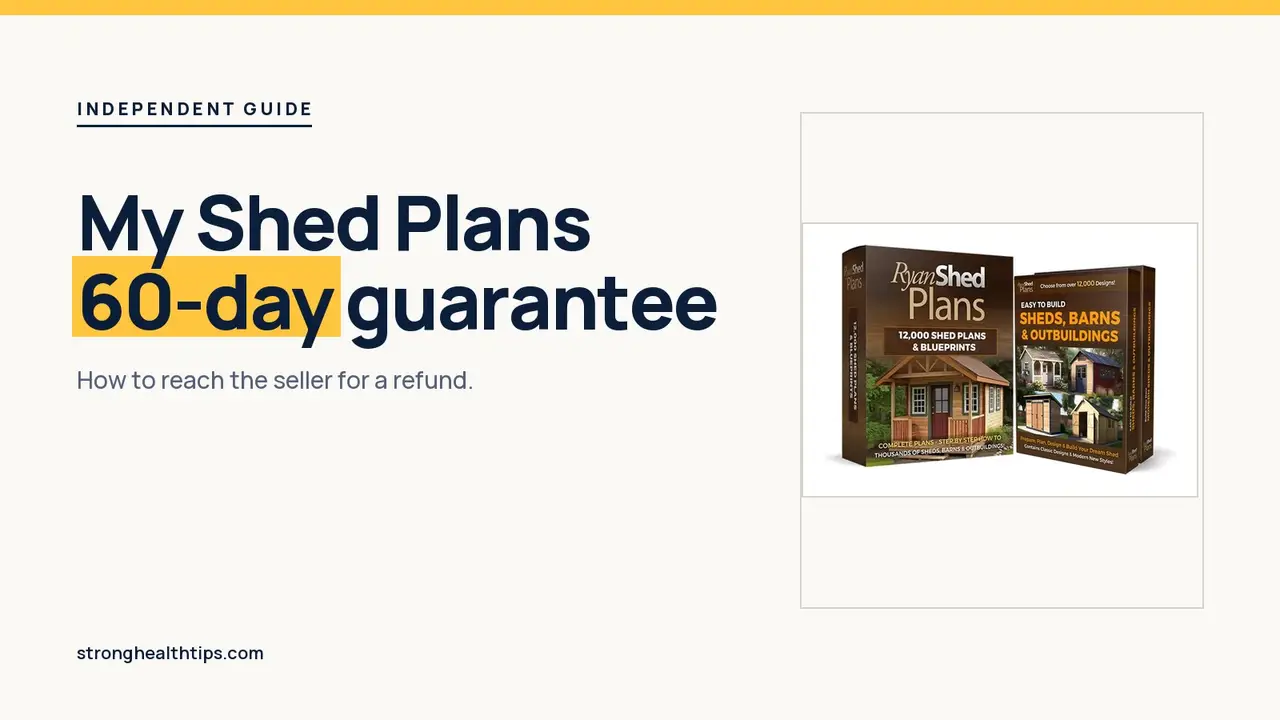
The My Shed Plans money-back guarantee is a written part of the offer, and a clear route back to your money matters a great deal on a first purchase. The seller backs the library with a 60-day money-back guarantee, and ClickBank is the retailer handling checkout. This guide covers what the guarantee protects, what to gather before you reach out to the support desk, and how to keep a tidy record of the exchange.
My Shed Plans money-back guarantee in plain terms
The guarantee appears alongside the $37 price, the four bonuses and the members area, so it reads as part of one package. Watch for the guarantee line on the order page during checkout, and hold on to the confirmation email, which includes the order details the support desk asks for. Those habits make any later request straightforward.
Guarantee in writing
$37 with a 60-day money-back guarantee
Plans, four bonuses and a clear support route.
Order with the guaranteeWhat the guarantee covers
It applies to the shed plan library you purchase, and it describes a refund route for that purchase. Lumber, hardware, finish and tools form a separate budget that you manage yourself, so keep those lines apart when you total a project. Picture a builder planning a garden shed, a lean-to and a bike shed within one year: the library and its refund details can sit together in one folder while the materials budget lives elsewhere. The My Shed Plans hub describes what the library contains.
What to have ready before you write
Open the confirmation email and find the order details. Keep the address you used at checkout nearby. Draft a short note that names the library and asks for a refund under the money-back guarantee. Gather these items:
- The order details from the confirmation email.
- The email address you used at checkout.
- A brief request that names the library and cites the guarantee.
- Copies of every reply, saved beside the confirmation.
How to reach the support desk
Requests go through a ticket form on the seller’s site, and no phone number is listed. Support staff work from 8am to 6pm, Monday to Friday, according to the seller, so sending the message during those hours keeps the exchange moving. Describe the product, quote the order details and state the refund request. If the form asks for a subject, a short line naming the library works well, and any ticket reference should be noted for follow-ups.
When ClickBank order support helps
ClickBank handles the checkout as retailer and lists order support at clkbank.com. If the ticket route goes quiet, that page is the second place to turn. Use the same order details, so both channels can locate your purchase without delay.
Support route
Ticket, details and a clear ask
The seller’s desk takes the money-back request.
Buy with the 60-day guaranteeWhy a written guarantee helps a first purchase
A first purchase can feel like a leap, particularly for someone new to building structures. A written guarantee gives you a defined route and a named desk, so the way back to your money is spelled out before you pay. Nothing needs guessing when you sit down to write.
Who this guarantee suits
It suits a builder who wants a written refund route before buying a set of plans, whether that is a first shed or a comparison between libraries. It also suits someone who expects several structures and wants the library and its support route kept together. Either way, the steps in this guide are the same.
A sample message to the support desk
Keep the request short and specific. Open with a greeting, name the library, paste the order details from your confirmation email, and ask for a refund under the 60-day money-back guarantee. Close with a thank you and the email address you used at checkout. Plain wording is best, since the desk needs the facts to locate your order quickly.
Using the guarantee alongside a build plan
A garden shed, a lean-to and a bike shed each demand different planning. The library supplies drawings and lists for all three, while the guarantee attaches to the purchase itself. Put lumber, hardware and tools on their own budget line, because those costs stay with you whatever happens with the library. Keeping the two budgets separate makes planning clearer and any later message easier to write.
Garden shed first
A garden shed plan with its lists
One payment of $37, with the members area and refund terms.
Start the garden shed planWhat the guarantee does not cover
It concerns the library purchase. It does not reimburse lumber you have already cut, tools you have bought or a permit fee paid to your local office. It leaves the building rules for your lot unchanged as well. Knowing where that line falls helps you plan the build as well as the purchase.
Reading the guarantee line before you pay
Before you enter payment details, read the guarantee line on the order page word for word. It should name a 60-day money-back guarantee and point to the seller’s support route. Take a screenshot of that section, or copy its text into your notes, so you have the wording on hand if a question comes up later. Reading the line at checkout takes less than a minute, and it means the terms you rely on are the ones you saw on the page.
What a clear support message leaves out
A short, factual message works best. Leave out long background stories and any comparison with other products, since the desk needs the order details and the request. Stick to the facts you can point to: the library, the order details printed on the confirmation email, and the refund you are asking for. A calm message gets the same careful reading as a detailed one, and it keeps the exchange focused on your order.
Keeping the confirmation email safe
The confirmation email is the anchor of the whole process. Forward a copy to a second address you check often, or print it and place the page with your build notes. If the email is lost, the order details are still needed, so a second copy is a cheap safeguard. Store the copy somewhere you will look again before any future contact with the desk.
When a reply takes a while
Replies can take longer than expected, particularly around public holidays. Give the desk a fair window, then follow up with the same ticket reference and the same order details. Keep each follow-up brief, and keep the earlier messages in the same thread so the history stays in one place. A patient, organized follow-up is usually the quickest route to a clear answer.
Keep your records clean
Save each message in one folder with the confirmation email. Write the order details on a single line of your notes, so you never have to search an inbox for them. Keep a printed copy as well as a digital one, so the information survives a lost laptop or a full mailbox. A clean record keeps any second message simple and helps the desk find your purchase fast.
Good to know
Every shed counts as a structure, so confirm the permit, size, setback and foundation requirements for your lot before buying materials. Dial 811 before footings are dug, follow each tool manual, and wear eye and ear protection. An extra pair of hands makes wall frames and roof parts far easier to manage.
Keep reading
Two posts sit well alongside this one: the where to buy guide explains the path to the real order page, and the price post breaks down the $37 and the bonuses. The My Shed Plans hub carries the full product story, and the what’s included page lists the contents.
Ready when you are
Start with a written guarantee
One payment of $37 for the library and the four bonuses.
Get the library for $37Questions people ask
How long is the money-back guarantee?
It is a 60-day money-back guarantee, and the seller's order page states it in the offer.
What do I need to ask for a refund?
The order details from your confirmation email, plus a message to the support desk that names the library and asks for the refund under the guarantee.
How do I reach the support desk?
Through a ticket form on the seller's site. No phone line is listed, and the help desk runs 8am to 6pm, Monday to Friday, per the seller.
What if the ticket route stalls?
ClickBank, the retailer, lists order support at clkbank.com. Use the same order details, so both routes can find your purchase.
Does the guarantee cover my lumber?
No. The guarantee concerns the library purchase. Lumber, hardware, finish and tools are costs for the build, and you plan those on your own.
Should I keep anything after I write?
Yes. Save every message you send and receive, and keep the confirmation email in the same folder.
Please note. This guide is general information only, not professional, legal or safety advice. Follow local building, electrical and water rules, and use a licensed professional where the law or your safety calls for one. Prices, plans, bonuses and refund terms can change; the official order page is the final word. Full disclaimer.
Written by
Strong Health Tips Editorial Team
We research, write and fact-check every guide against current guidance from major health bodies and peer-reviewed studies, then rewrite it in plain English. How we work.