Teds Woodworking PDF: How the Plan Files Work and How to Print Them
Teds Woodworking PDF explained: plans come as PDF and DWG files, a free reader opens the PDFs, the bonus viewer opens DWG, and you can print at home.
- Author
- Strong Health Tips Editorial Team
- Published
- Updated
- Reading time
- 7 min read
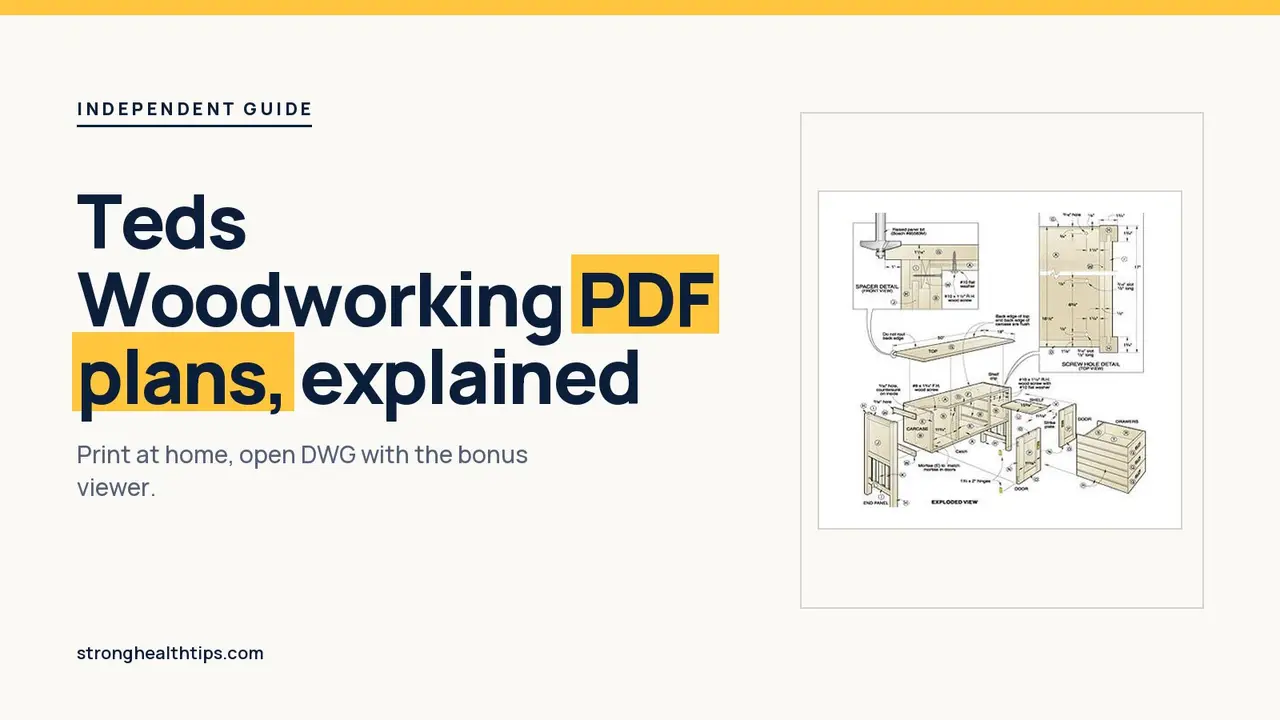
The first thing a builder wants to know is whether the Teds Woodworking PDF files will open and print cleanly on the equipment they already have. Teds Woodworking (the seller spells it TedsWoodworking) delivers its plans as PDF and DWG files, so the answer depends on which file you open. This guide explains each format, what software each one needs, how to print a plan at home and where the phone and tablet fit in.
Printable plans
Plans you can print at home
PDF and DWG files, with the bonuses, for $67 in one payment.
Get the printable plansTeds Woodworking PDF files: what the format gives you
A PDF is the format most builders reach for first. It keeps the layout of the page, so a materials list stays a list and a drawing keeps its proportions when you print it. The seller describes each plan with step-by-step instructions, exact cut lists, complete materials lists and multi-angle schematics with exploded views, and those pieces sit together on the PDF pages.
DWG is a different kind of file. It is a drawing format used by CAD software, so it suits anyone who wants to adjust a drawing or check a dimension on screen. The seller lists both formats with the library, which means you can choose the one that suits your bench. The seller also describes plans in imperial and metric measurements, so the units on the sheet are the first thing to check before you cut.
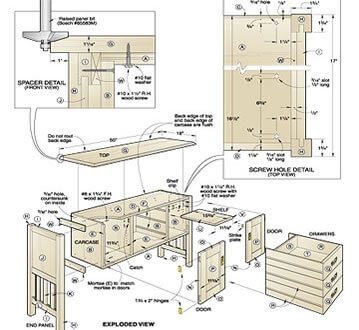
The drawing above is a sample layout in the exploded style the seller describes. It shows how a plan page is arranged, not a finished piece of furniture.
How the PDF plans open
Any free PDF reader will open the PDF plans. You do not need a paid program for them, and you do not need the bonus viewer for PDF files. Download the plan, open it in the reader you already use, and scroll to the materials list first. That list tells you what to buy, so it is the page to read before anything else.
Keep the reader on a screen beside the saw, or print the pages you need. Read the plan in full before you start, so you know the order of the steps and where the cut list begins, and then return to the page you need at each stage. Many builders keep the cut list on paper, because a printed sheet stays readable with sawdust on the bench and does not need a charged device nearby.
Printing a plan at home
Printing is simple, but a few checks save wasted paper. In the print dialog, pick the setting that prints at true size, rather than fit-to-page, unless the plan states otherwise. Then measure one dimension that the plan gives you, such as a board length, against a ruler on the printed sheet. If the number matches, the scale is right, and you can cut from the printout with confidence.
Put the materials list and the cut list on separate sheets when you print. That way you can take the shopping list to the lumber yard without carrying the whole plan, and you can keep the cut list at the saw. Check the units on the sheet before you cut. The seller’s FAQ says plans come in both systems, and mixing a metric list with an imperial tape causes errors.
DWG files and the bonus viewer
DWG plans need the bonus DWG/CAD Plan Viewer. The seller says the viewer is needed to open DWG plans, and it is listed with the order as one of three bonuses. Set up the viewer first, then download a DWG plan, so the file opens on the first attempt.
If you already work in CAD software, check that your program opens DWG files before you rely on it. The bonus viewer is the route the seller lists for these files, so start there if you are not sure. For more on the three bonuses and the covers that come with them, read the Teds Woodworking bonuses post.
Paper copy or screen: picking the right format
A paper copy has a clear advantage at the bench. Ink on paper does not need a charged battery, and it stays readable when dust settles on a tablet. Print the cut list and the materials list, and keep the drawing on a screen if you want to zoom in on a joint. A common setup is to use both: paper for the steps, and a screen for the exploded view.
A screen has its own advantage. You can enlarge a DWG drawing to check a dimension, and you can move from one plan to the next without a stack of sheets. If you plan several builds, keeping the files on a tablet saves shelf space in the workshop.
Keeping a plan clean at the bench
Sawdust and glue are the enemies of a printed plan. Slide the pages into a clear sleeve, and keep the sleeve away from the glue-up table. Mark finished pieces with a pencil on the cut list rather than on the drawing, so the drawing stays clean for a second build. If a page tears or smudges, print it again from the file rather than copying numbers by hand, since a copied number is an easy place for a mistake.
Paper or screen
PDF for the bench, DWG for the screen
Both formats come with the order, for $67 in one payment.
Order the PDF and DWG plansPhone, tablet or computer
The members area works by login from a phone, tablet or computer, according to the seller. On the bench, a tablet is usually the easier screen, since its drawings read at arm’s length. A phone suits a quick look at a materials list in the store, though its screen is small for an exploded view. For a complex plan, print the drawing or open it on a larger screen.
Plans on any screen
Open PDF and DWG from one library
Login from your phone, tablet or computer, with printing at home.
Start with the PDF plansWhy the members-area route matters for files
A PDF found on a file-sharing site may look similar, but it does not come with the members-area login, the library search or the 60-day money-back guarantee. The library, by contrast, gives you the search, the bonuses and the guarantee together, so the files sit inside a larger set of tools. The guarantee is part of the offer on the order page, which is where you get the library and its files. The money-back guarantee post explains how to ask for a refund if an order needs one. Read the what’s included page to see the full list of items that come with the order, and use the TedsWoodworking hub for the offer in one place.
Questions to answer before you print
Is the plan you want in PDF, DWG or both? Do you have a free PDF reader installed? Have you installed the DWG viewer if you need it? Does your printer have enough paper for the cut list and the materials list? If you can answer yes to these, you are ready to start the project. If any answer is no, the TedsWoodworking hub lists the offer and its files in one place.
Building rules are local, and a printed plan does not change them, so keep those rules in view when a plan describes a structure. A printed plan is a useful tool, but it is not a permit, so check with your local building department first.
Ready to print
Get PDF and DWG plans for $67
One payment for the library, the DWG viewer and the other bonuses, with a 60-day money-back guarantee.
Order the library for $67Good to know
Per the seller, the plans are not designed to satisfy any building code, so local rules come first before a shed, deck or other structure. Read every tool manual, and keep eye and ear protection on, whatever format the plan arrives in.
Questions people ask
What format are the plans in?
PDF and DWG, per the seller. PDF is the print-friendly format, and DWG is the drawing format used by CAD software.
Do I need extra software for the PDF plans?
Any free PDF reader will open them. The seller does not require a paid program for PDF plans.
What opens the DWG files?
The bonus DWG/CAD Plan Viewer, which the seller lists with the order. The seller says it is needed to open DWG plans.
Can I print the plans at home?
Yes, the seller says the plans are printable. Check the print settings before you print a full-size template, and measure one known dimension to confirm the scale.
Can I open plans on a phone?
The members area works by login from a phone, tablet or computer, per the seller. A phone screen is small for an exploded view, so print the cut list for the bench.
Are the files included in the price?
The plans are part of the library for one payment of $67, and the DWG viewer is listed as a bonus. Your order page shows exactly what your purchase includes.
Please note. This guide is general information only, not professional, legal or safety advice. Follow local building, electrical and water rules, and use a licensed professional where the law or your safety calls for one. Prices, plans, bonuses and refund terms can change; the official order page is the final word. Full disclaimer.
Written by
Strong Health Tips Editorial Team
We research, write and fact-check every guide against current guidance from major health bodies and peer-reviewed studies, then rewrite it in plain English. How we work.