My Shed Plans Official Website: Find the Real Order Page
Find the real My Shed Plans official website and order page: the seller's domain, the RyanShedPlans name on the box, lookalike sites and what the page shows.
- Author
- Strong Health Tips Editorial Team
- Published
- Updated
- Reading time
- 7 min read
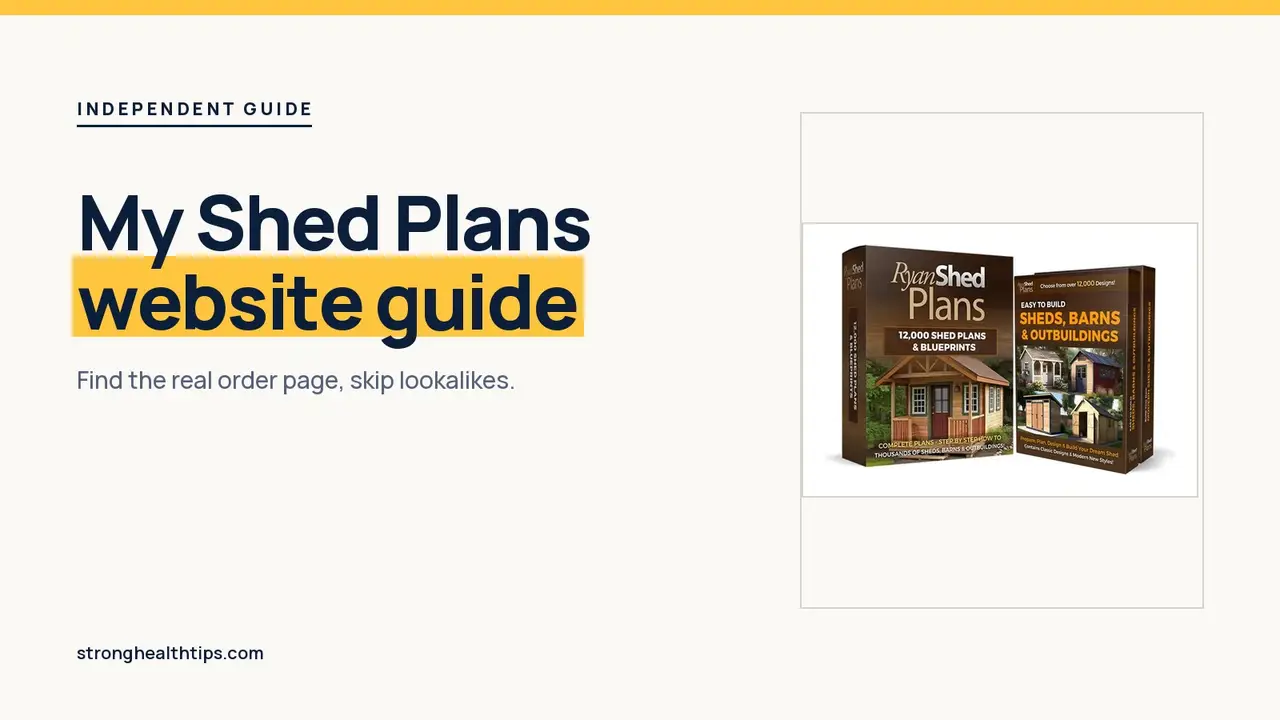
My Shed Plans official website is the seller’s own page, and this guide explains how to locate the genuine order page, what it should show and which copies to steer clear of. The seller’s domain is myshedplans.com. Enter it yourself or follow the buttons on this site, then compare the page with the checklist below before you enter any payment details.
The real order page
Start from the seller’s order page
Confirm the $37 payment, the four bonuses and the guarantee first.
Open the real order pageMy Shed Plans official website: the domain
The official site is myshedplans.com. Payment runs through ClickBank, the retailer named for this product, so your path moves from the seller’s pages into a ClickBank checkout. The box and the page also carry the seller’s own branding for the same library, which is the one element that may look unfamiliar at first glance. The price, the bonuses and the guarantee should match what this guide describes. If you want the whole product in one place first, start from the hub page and return here for the order.
The name on the box
The packaging and the seller’s page can carry branding that differs from the name in this guide. That branding belongs to the seller, and a search may place it next to My Shed Plans. Treat it as a cross-check rather than an alarm. The items that need to line up are the price line, the four bonus titles and the guarantee wording on the order page. When those match this guide, you are looking at the same library.
A message that asks you to pay somewhere other than the checkout described here should not be followed. Type the seller’s domain yourself, reopen the order page from there and read it again. A short detour keeps your order where the guarantee and the support desk can reach it.
What the real order page shows
- The product name, My Shed Plans, with a short summary of the members-area library.
- $37 as one payment, and no competing price in the same box.
- The four bonuses by title: Advanced Woodworking Tips, Magic Modifications, Directory of Suppliers and 400 Woodworking Plans.
- The 60-day money-back guarantee plus the path to the support desk.
- A ClickBank checkout with order support at clkbank.com.
The what’s included page repeats those items in catalog format, so you can compare the two. The where to buy guide takes you through the sequence, from the first click to the confirmation email.
Check before you pay
Match the page to this list
Every point in the list above should be visible before you continue.
See the order pageStep by step, from the domain to your confirmation
- Type myshedplans.com into the address bar, or open the order page from a button on this site.
- Locate the My Shed Plans product page and read the price line, the bonus list and the guarantee.
- Press the order button, which carries you into the ClickBank checkout.
- On the checkout screen, confirm the product name, the total and your email address.
- Finish the payment, then file the receipt and the confirmation email together.
- Write down the support route from the seller’s page, so you know where to write later.
Lookalike pages and copies to skip
Certain pages offer free plan downloads, resell the library under another label or ask for payment outside a ClickBank checkout. Those are separate offers. They may lack the seller’s guarantee and its support desk, so the protections covered in this guide do not follow them. A copy can mimic the design of the real page too. Study the details rather than the look: the price line, the bonus titles and the support route. Missing or mismatched details mean you should leave and return to the seller’s domain by typing it.
Free-looking downloads can be tempting, but they arrive without this library, the members area, the 60-day guarantee and the support desk. Compare what each offer lists rather than its headline. A page that cannot display the four bonus titles or the guarantee wording falls outside what this guide describes.
Reading the seller’s support page
The seller’s help runs through a ticket form on its site, rather than a phone number. Use it to lay out your order, cite the order details and state what you need. Help desk hours are 8am to 6pm, Monday to Friday, so aim your messages at those hours when possible. The page also lists a business address in Riverside, California, one more detail you can compare against the rest of the site. Give each ticket a clear subject line, which keeps the thread easy to follow later. The money-back guarantee post shows how to word a refund request. If a reply does not answer your question, open a new ticket that quotes the earlier reference, so the desk can pick up the thread.
A short order journal
Open a short journal on the day you order. Record the date, the order number, the price you saw and the bonus titles on screen. Each time you contact support, add a line with the date and a summary of the reply. Keep a screenshot of the guarantee wording alongside. If a question comes up months later, that log is the quickest way to recount what you bought and what was said.
Common sense before the first click
Before you click anything on a page that claims to be the order page, read the address in the bar and check that it matches the domain you typed. Look for a secure connection indicator as a basic habit. If your browser warns about a site, take that warning seriously and close the tab. Keep your device and browser up to date, and use a password manager so you are not retyping payment details on an unfamiliar page.
Who this route suits
This route suits a builder who values the seller’s own support desk and a ClickBank checkout, along with the members area and its bonuses. It works well for someone planning a shed across several months who wants a single login for the drawings. It fits less well a person who wants a building delivered and erected, or who prefers a different seller altogether. Everything here assumes the seller’s domain and the checkout described above. Readers who like to compare several sources can still use this page as a checklist, since the items to verify are the same wherever they look.
Why the official route matters
Several parts of the offer rely on the official route: the guarantee, the support desk and the bonuses. Going through the seller’s domain and the ClickBank checkout keeps the order traceable and keeps the confirmation email you may need for a refund. A builder planning over several months will value that paper trail.
The route also keeps the plans consistent. The members area, the zip files and the monthly additions sit inside one account, so a question about any plan goes to the same desk that handles the order. Coming back for a second shed means the same login and layout, which speeds up the next project.
Ready when you are
Get the library through the real route
A members-area library, four bonuses and a refund route, for $37.
Go to the real order pageIf you want the full product picture before you order, the My Shed Plans hub covers it from start to finish.
Order from the source
Get the shed plans from the real page
Four bonuses, a 60-day money-back guarantee and one payment of $37.
Get the shed plansGood to know
Local rules govern any shed before the build starts. Confirm the permit, size, setback and foundation requirements, call 811 ahead of digging, follow every tool manual, and bring a second person in for heavy wall frames and roof parts.
Questions people ask
What is the official My Shed Plans website?
The seller's domain is myshedplans.com. Its order page leads to a ClickBank checkout, which is where payment takes place.
Does the site address match the order page?
The domain names the seller's site, and the order page is reached from there. Check the address bar before you enter any payment details.
Can I get the plans through another route?
Checkout runs through ClickBank, the retailer named on the seller's page. Any other seller or route is a separate offer, so compare it on its own terms.
What if a page shows a different price?
Trust the order page you reach from the seller's domain over any figure in this guide. We read $37 on November 24, 2026.
Who do I contact after I order?
The seller's support desk, reached through a ticket form with your order details. For order issues, ClickBank order support is at clkbank.com.
How do I spot a copy of the page?
Look for the $37 one payment, the four bonus titles, the guarantee and a ClickBank checkout. A page missing those details is not the one to use.
Please note. This guide is general information only, not professional, legal or safety advice. Follow local building, electrical and water rules, and use a licensed professional where the law or your safety calls for one. Prices, plans, bonuses and refund terms can change; the official order page is the final word. Full disclaimer.
Written by
Strong Health Tips Editorial Team
We research, write and fact-check every guide against current guidance from major health bodies and peer-reviewed studies, then rewrite it in plain English. How we work.