InstaDoodle Reviews 2026: The Doodle Video App as It Stands Today
InstaDoodle reviews for 2026: what the app offers now, the monthly plans checked November 24, 2026, the 60-day guarantee with its credits rule and who it suits.
- Author
- Strong Health Tips Editorial Team
- Published
- Updated
- Reading time
- 7 min read
InstaDoodle reviews 2026 should start from the product as it is listed today. InstaDoodle is a cloud web app for doodle-style videos. The seller presents three monthly tiers, which we checked on November 24, 2026: Standard ($47/month), Pro ($67/month) and Agency ($127/month). This page covers what the app delivers now, who benefits from it and how the 60-day money-back guarantee works, where a refund is not available once more than half of the included AI credits have been used.
The 2026 picture
Doodle videos in the browser
Describe a scene, let DoodleAI draw it and export in four aspect ratios.
See the plan listInstaDoodle reviews 2026: what the app offers now
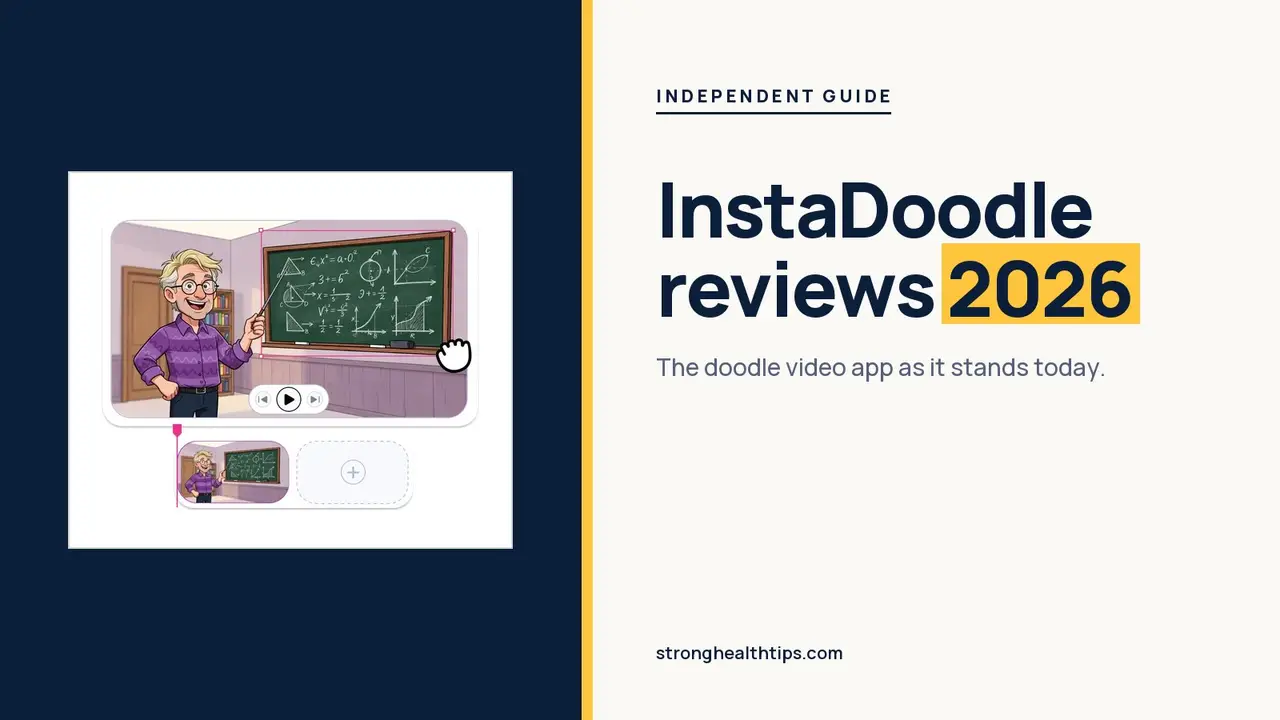
The seller describes a text prompt that yields doodle characters, elements and backgrounds, plus a picture-to-doodle route. The editor runs on drag and drop and includes an image editor with a background remover. Voiceover can be generated or uploaded, background music is available, six animation types are offered and four frame shapes are supported. Rendering happens in the cloud, according to the seller, so no local installation is needed. The entry tier also lists 14+ templates and 1,000+ built-in doodle elements, while bigger exports and a larger library sit with Pro.
How the features fit real projects
A drawn explainer usually rests on four parts: a scene, a character, a voice and a rhythm. The prompt box handles scene and character, DoodleAI converts text into elements, and voice tools supply narration. Animation types and timing set the rhythm, from draw and wipe to slide, fade and pop-in. Four frame shapes let one explainer appear on a widescreen slide, a vertical story, a feed post or a square card, so a single project can be published across several channels.
Who the app suits in 2026
Teachers assembling short lessons, shop owners explaining a product or process, and explainer makers who want a drawn look without animating each frame are the strongest matches. The seller also names training, onboarding and how-to videos as uses. Teams needing live filming or long recorded sessions will want a different tool, since InstaDoodle centres on drawn scenes.
The plans as listed on November 24, 2026
- Standard, $47 a month: 150 AI credits, DoodleAI, 1080p HD, six animation types and 14+ templates, per the seller.
- Pro, $67 a month: all of Standard plus 3,000+ PRO elements, 2K and 4K export, the commercial license and the 20-track music bonus.
- Agency, $127 a month: all of Pro plus AI Wizard, InMotion and AI Voices in 30+ languages.
The order page presents the tier and price ahead of payment, so confirm the figure on the day you order. The plan-by-plan list gives each tier’s full lines, and the InstaDoodle hub keeps the wider product details together.
Current plans
Start your doodle video plan
Monthly plans from $47 a month, cancel anytime per the seller, with the order page showing the total.
Open the order pageRefund terms and the credits rule
The seller extends a 60-day money-back guarantee, and once more than half of the included AI credits are used, the credits condition removes refund eligibility. Steady credit tracking pays off from the first project. Keep the confirmation email. For a refund request, contact help.instadoodle.com with the subject Refund Request and your account email and order number.
Ready when you are
Describe a scene today
Let DoodleAI draw the first scene, then add voiceover and export.
Start with StandardWhat to weigh before you subscribe
- Credits: 150 on Standard, and per-action costs can shift.
- Licensing: commercial rights come with Pro and Agency, not Standard.
- Billing: monthly charges that run until you end the plan, which the seller says is possible at any time.
- Output: review AI results before publishing, since exclusive copyright protection may not apply.
What the listing covers in 2026
The listing presents InstaDoodle as a cloud web app with DoodleAI, an editor, voiceover and music, animation types, frame shapes and cloud export. It also details the tiers, the 150 AI credits on Standard, the commercial license on Pro and Agency and the help desk ticket route. Each entry comes from the seller’s own material, and the order page confirms what applies to the tier you select.
Who gets the most from it in 2026
Three profiles tend to match the tool: a teacher building a lesson series, a shop owner explaining a product in brief clips and an explainer maker who wants a steady drawn style. Each benefits from templates, voice options and export sizes, and each should match tier to video count before ordering. A team lead who needs onboarding clips every month may find Agency the stronger match, since its extras cover script and voice work. A solo creator with a steady weekly schedule may find Standard enough for the same work.
A week-one plan for a new user
Day one: sign in and build a single three-scene explainer using the prompt box, noting the credits each scene uses. Day two: add narration and background music, then export a draft at the frame shape you need. Day three: review the draft on a phone, checking captions and the closing frame, and log how many credits the revisions cost. Days four and five: settle whether the tier covers your monthly volume. By the end of the week, you will know the real credit cost of one video, which is the figure the plan choice depends on. Keep those notes, since they become the basis for the tier decision.
A short buying path for 2026
- Compare the tiers against the number of videos you expect each month.
- Measure the credit line against one real project, using a rough scene count.
- Read the license line if the video will reach a client or a paying audience.
- Confirm the price and bonus line on the order page, which carries the live figure.
- Keep the confirmation email, order number and help desk address together.
The seller lists a 60-day money-back guarantee, and its credits condition takes effect once more than half of the included AI credits are spent, so keep your credit use visible throughout the project.
Limits that still apply
The 2026 terms carry the usual limits of any monthly tool. Credits deplete as you work, and per-action costs can move over time. Licensing varies by tier, so Standard subscribers should check the terms before paid use. AI output may not qualify for exclusive copyright protection, so each scene and narration track deserves a look before release. Billing renews monthly until you end the plan. Written down, each limit is simple to plan around, and none changes the core offer: a browser editor for doodle videos with monthly plans from $47 a month.
Two owners for two limits
Teams benefit from splitting the two limits that matter most: credit planning and license review. Assign one person to track credits per project and another to read the license line before any client work starts. The split keeps the workload clear, and it means no single person has to remember both the credit count and the rights position.
Questions to settle before you pay
Settle four questions first: which tier matches your monthly volume, whether the license line covers the work you deliver, whether the credit line covers one full project at your pace, and which help desk ticket applies if a refund ever arises. With those answers clear, the order page becomes a quick confirmation. A short written note with the four answers keeps the choice tied to your schedule.
A closing note on 2026
In 2026, InstaDoodle is a browser-based doodle video editor with a clear monthly price, DoodleAI for drawn scenes and a written 60-day money-back guarantee, whose credits condition ends refund eligibility once more than half of the included AI credits are used. Begin with the plan list, match the tier to your videos and read the order page before you pay.
Our score for 2026
Our editorial score is 3.8 out of 5. The full InstaDoodle review lists the five rows behind that number, and the is InstaDoodle legit checklist covers the basic checks. The InstaDoodle hub remains the reference for current details.
Order with the facts
See the order page
Check the plan, the license line and the guarantee line before you pay.
Go to the monthly plansGood to know
InstaDoodle processes prompts, uploads and projects with third-party AI providers, so upload only what you have the rights to. Review AI output before publishing. Commercial rights depend on the plan, and the subscription renews until you cancel.
Questions people ask
What is InstaDoodle in 2026?
A cloud web app for whiteboard-style doodle videos. You describe a scene, DoodleAI draws it, and you add animation, voiceover and music before export.
What do the plans cost now?
The plans we checked on November 24, 2026 are Standard at $47 a month, Pro at $67 and Agency at $127. The order page shows the exact plan and price before you pay.
Who is InstaDoodle for?
Teachers, small-business owners and explainer makers who want drawn videos in a browser. Teams that need live footage will want another tool.
How does the guarantee work?
The seller lists a 60-day money-back guarantee, and a refund is not available if more than half of the included AI credits have been used. Keep your confirmation email.
Do I need to install anything?
No. The app runs in a modern browser on Mac, Windows or any device, and rendering runs in the cloud, per the seller.
Should I review the output before publishing?
Yes. The seller says AI output may not qualify for exclusive copyright protection, so review every scene and voice line first.
Please note. This guide is general information only, not professional, legal or safety advice. Follow local building, electrical and water rules, and use a licensed professional where the law or your safety calls for one. Prices, plans, bonuses and refund terms can change; the official order page is the final word. Full disclaimer.
Written by
Strong Health Tips Editorial Team
We research, write and fact-check every guide against current guidance from major health bodies and peer-reviewed studies, then rewrite it in plain English. How we work.