Where to Buy Energy Revolution System: Order From the Real Page
Where to buy Energy Revolution System: order through the real order page, not marketplaces or file sites, and check the PDF guide and price before you pay.
- Author
- Strong Health Tips Editorial Team
- Published
- Updated
- Reading time
- 7 min read
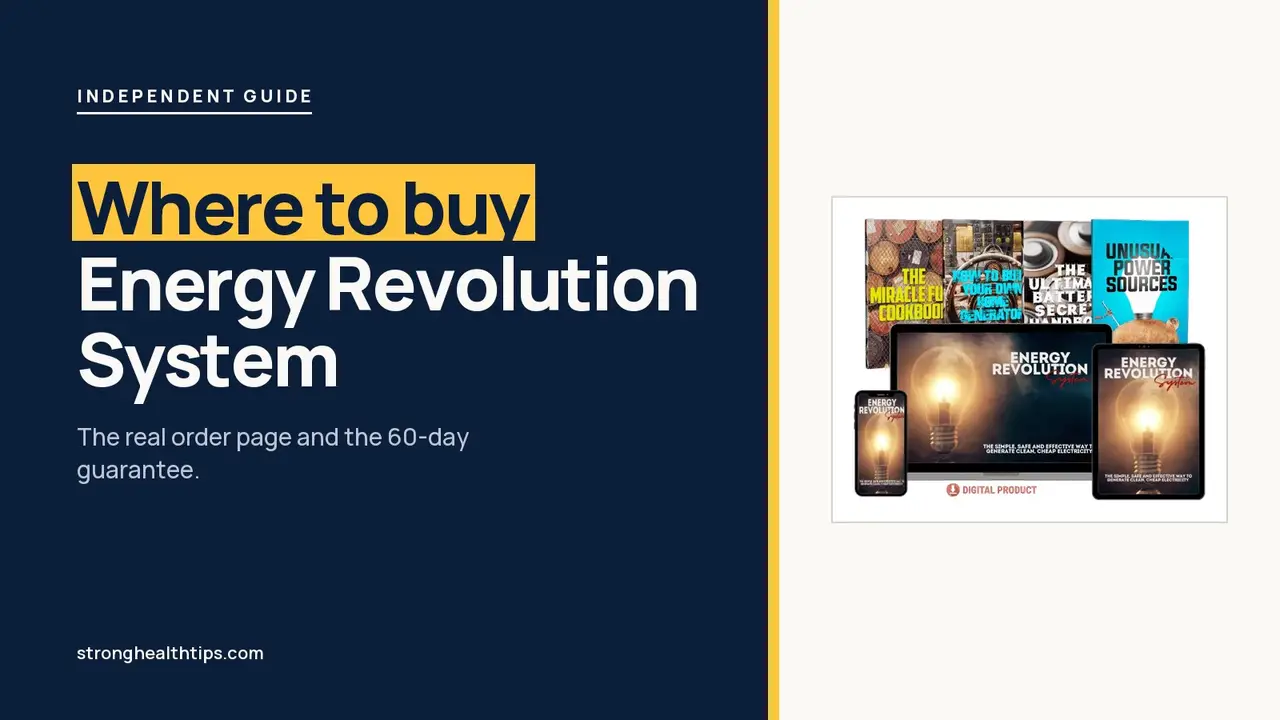
Looking for where to buy Energy Revolution System? The short answer is the order page on the seller’s own site, which you reach by typing the address yourself. The seller gives that address as theenergyrevolution.net. The steps below cover the route, explain why a copy from somewhere else is a different thing, and list what to check before you pay the $39 for the PDF guide.
The real order page
One payment of $39, by download
Check the page against this post, then order.
Go to the order pageWhere to buy Energy Revolution System: the order route
Follow these steps in order. Each one is a small check that takes a minute.
- Type the seller’s address, theenergyrevolution.net, into your browser yourself.
- Follow the order button on that site to the checkout page.
- Check that the price reads $39 as a single payment for the PDF guide.
- Complete payment through the retailer, ClickBank.
- Keep the confirmation message, which holds the link and the order reference.
Typing the address avoids a link you did not pick, and the price check catches any change from the figures in our price post. The last step matters most, because the confirmation email is the one document that ties your download, your order and your refund route together.
Why a marketplace or file site is not the order route
A marketplace listing or a file site may show the guide, but it cannot give you the seller’s refund route, the order number that goes with it or the seller’s help channels. We do not know what a copy elsewhere contains. A copy without the order behind it can leave you without support if something goes wrong. Terms for the 60-day guarantee sit on the seller’s order page and refund pages.
Skip the copies
Buy only from the seller’s page
The confirmation message holds your link and the order reference.
Continue to checkoutWhy the order page matters more than any ad
Search results and advertisements can point anywhere, and a link that looks official may lead to a page built to resemble the real one. The order page is the one place where the seller’s price, refund wording and retailer name come together. Before you trust a listing, ask whether the page shows the same figures this post lists: a $39 price as a single payment, a PDF guide, delivery by link and refund terms for 60 days. A mismatch is your cue to step back and start again from the address you typed.
A two-minute check before you pay
Give the page two minutes. Read the address, scan the price, find the refund wording and confirm that the product is a digital guide. Then look for the four bonus titles and the note on upgrades. If any of these is missing, take a screenshot and return to the address you typed yourself, rather than the link you came from. The hub page lists the same figures in summary form, which makes a quick side-by-side comparison possible.
Spotting a lookalike domain
Lookalike sites copy the look of a real order page and change one letter, add a word or swap a hyphen. Before you enter any details, read the address in the bar letter by letter. Compare it with theenergyrevolution.net, and be wary of extra words, unusual endings or a different name in the page title.
A page that asks for a subscription, lists a different item or shows a figure other than $39 as a single payment calls for a pause and a second look. The seller describes the price as a single payment with no recurring billing, so a page that suggests otherwise deserves a closer read before you continue.
What to check on the order page
- The guide is listed as a digital PDF, and nothing is shipped.
- The price shown reads $39, charged as a single payment.
- Any upgrade offered at checkout appears as its own transaction, according to the seller.
- The four bonus guides appear by title.
- Refund terms describe the 60-day guarantee and the email route.
Go through each line before you confirm. If one of them does not match this post, pause and ask the seller’s help channel to explain the difference.
Writing the checklist on paper, or in a note on your phone, helps more than it seems. It turns a long order page into five short questions, and it gives you a record to compare against the confirmation email after the order is complete. A reader who checks each line in turn rarely needs to backtrack later.
Checked against the list
Confirm the price, then order
Digital guide, $39 in one payment, 60-day money-back guarantee.
Order the guideWhat a clean order looks like
A clean order is a dull one. The page names the PDF guide, shows $39 in one payment, leads to the retailer’s checkout and ends on a confirmation screen. The message that follows holds the link and the order reference. Nothing on that path should ask you to install software, sign in to an unfamiliar account or send money by another route. If a step asks for any of those, stop and return to the address you typed yourself.
Keep the order’s trail in one place. Save the confirmation email, the order number and a short line about the time you paid. That small record is what the seller’s help channel will ask for first if a question arises later.
If you land on the wrong page
Wrong pages happen when a link takes you somewhere unexpected. Close that tab rather than entering card details. Open a new browser window, type the address yourself and compare the page again. If the price, the product name or the refund route differs from what this post describes, do not continue on that page. Write to the seller’s help channel from the real site, or contact ClickBank order support, and mention the address you saw so the problem can be traced.
What the seller’s help promise covers
According to the seller, help emails are answered within 2 hours on weekdays, and a contact form is available. Those lines are the seller’s own service statements. They tell you what to expect from the channel, not how a particular case will turn out. Use the help channel for order questions, delivery problems and refund requests, and keep each reply with the order number.
After you pay: the confirmation and support
The confirmation email is your receipt, your download route and your refund reference in one message. Store it where you keep other receipts, and note the order number somewhere separate. The seller says help emails are answered within 2 hours on weekdays, and it offers a contact form. ClickBank order support is at clkbank.com for questions about the order itself.
If the link will not open, write to the seller with your order reference before doing anything else. Clear details help the seller find your order quickly, and they keep the conversation focused on the problem. Quote the order reference, the moment you paid and a one-line note on what the screen shows. Those three details make a reply far more useful to both sides.
Where the route leads next
The what’s included page explains the download contents as the seller describes them. The hub page gives the full product summary, and the domain check post explains how to check the address. For the refund steps, the money-back guarantee post sets them out in order, and the price post covers the $39 line.
Good to know
A home power project can start a fire or deliver an electric shock, so buying the guide does not settle any safety question. Look up the local rules for codes and permits before connecting anything, have a licensed electrician handle any work tied to house wiring, and keep fuel-burning equipment outside rather than indoors.
Ready when you are
Order through the real page
$39 for the guide, delivered by link to your inbox, with refund terms for 60 days.
Open the $39 orderQuestions people ask
Where is the official site?
According to the seller, it is theenergyrevolution.net. Type that address into your browser yourself, then follow the order button.
Can I buy it from a marketplace instead?
We advise against it. A listing elsewhere has no link to the seller's refund route, and we do not know what it sells.
What name will appear on my statement?
The seller says the charge shows as CLKBANK*EnerRevolution. Look for that name when the charge posts.
Who handles the payment?
ClickBank is the retailer. Its order support is at clkbank.com for questions about the order itself.
What if the page looks different from this post?
Stop before you enter payment details, compare the total with the figures here, and use the seller's help channel to ask about the difference.
How quickly does the seller reply to help emails?
The seller says it answers within 2 hours on weekdays. That is the seller's own statement, so check the reply time when you write.
Please note. This guide is general information only, not professional, legal or safety advice. Follow local building, electrical and water rules, and use a licensed professional where the law or your safety calls for one. Prices, plans, bonuses and refund terms can change; the official order page is the final word. Full disclaimer.
Written by
Strong Health Tips Editorial Team
We research, write and fact-check every guide against current guidance from major health bodies and peer-reviewed studies, then rewrite it in plain English. How we work.